
Literate Programming
Last month we added a new
Computational notebooks like Jupyter are a popular tool in many displines like statistics, data science and computer algebra. This new feature allows you to work in this style in Lemma.
Another use case is Literate Programming. With this programming paradigm you describe the program in a natural language while writing it. The code then sits right next to its explaination. Many text books and tutorials are written like this.
Now you can describe your programs with all the rich text editing and multimedia functions that Lemma provides.
Code Blocks
There's a new paragraph type called

Code paragraphs also behave a bit differently. By default, pressing
This is only a start though. You will soon be able to run some code too, directly withing Lemma. Expect more news about this feature in the next update.
And there's more. We added an overview graph, showing all of your documents at once. You can zoom and scroll it too. We worked on the colors and typography of the sidebar, making it more easy to scan. And we made numerous little tweaks and fixes.
Graph Views
There's a new panel in the Lemma sidebar called the Graph View. It shows all pages in the neighborhood (one link away) of the current page, and the links among those pages too. Here's what it looks like:
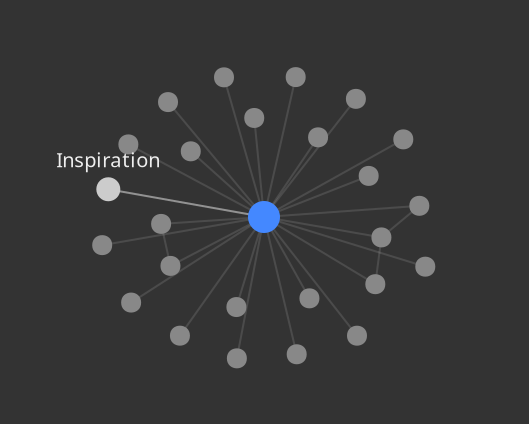
I did a lot of experimenting with different layouts, in the end settling for the
There is still a lot of room for improvement. I want to add zoom and panning, visually distinguish backlinks, and the layouts too could be better with some more tweaks to the algorithm. But the big priority is now adding an overview graph to show all pages at once. I hope to have more graph news soon.
New News Section
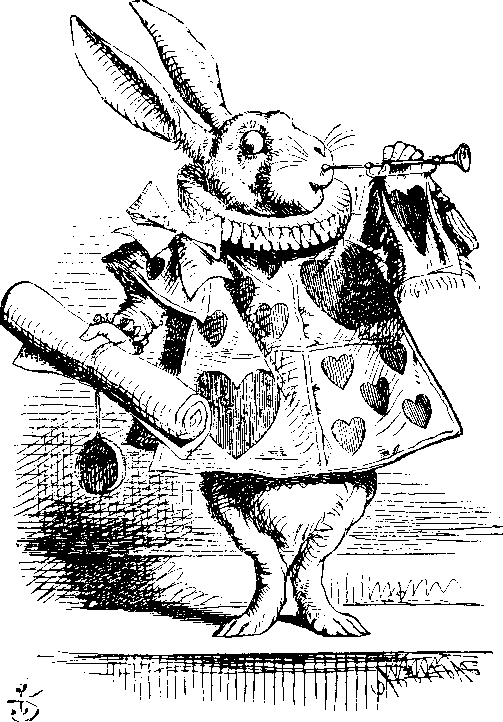
Welcome to the news section. I'm planning to post updates from the project here at least once a month.
This month I finished a big code refactoring project. This should make development faster and more efficient going forward.
I also started using Lemma more extensively (aka dogfooding). This resulted in the fixing of a large number of small annoyances, that I hadn't noticed before. The weblink recognition when pasting text was improved, scrolling positions are now remembered when going back in the history, and many more.
The most noticeable change was probably the removal of the time below document titles. It used to show the time of the last edit. But that info is already visible in the sidebar. Also it would mostly just show the current time, because I just made some change to the document on display. The page titles look a bit nicer now.